Docker Hardened Images: Enterprise Security, Now Free for Everyone
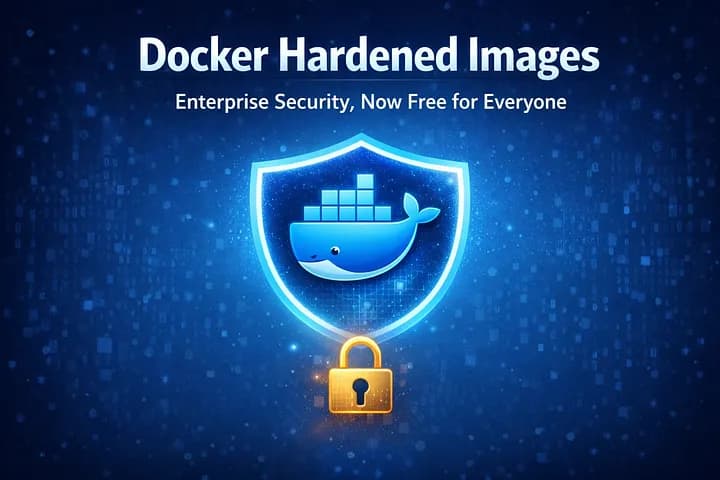
How Docker’s security-focused container images went from premium to community-accessible.
When it comes to container security, the old saying “you don’t know what you don’t know” has never been more relevant. Every Docker image you pull could be hiding vulnerabilities, unnecessary packages, or worse — malicious code. This is where Docker Hardened Images come in, and as of December 2025, they’re available to everyone at no cost.
The Problem with Traditional Container Images
Most Docker images are built for convenience, not security. They come packed with shells, package managers, and tools that make development easy but also expand the attack surface dramatically. It’s like leaving all your house windows open because you might need the fresh air — convenient, yes, but hardly secure.
Consider this: a typical Node.js base image might contain hundreds of packages you’ll never use. Each one is a potential vulnerability. Each one could be the entry point for a supply chain attack. And with the rise of sophisticated attacks targeting containerized applications, this isn’t just theoretical risk — it’s a clear and present danger.
Enter Docker Hardened Images
Docker Hardened Images (DHI) take a radically different approach. Built on minimal Alpine or Debian Linux bases, these images strip away everything that isn’t absolutely necessary:
No shell — Can’t exploit what isn’t there
No package manager — Eliminates an entire class of attacks
Non-root user by default — Limits damage from compromises
Minimal dependencies — Only what your application actually needs
The result? Docker claims up to a 95% reduction in attack surface compared to standard images. That’s not a typo — ninety-five percent.
From Premium to Free: The Journey
Docker first introduced Hardened Images in May 2024 as a commercial offering. The value proposition was clear: pay for enterprise-grade security and compliance. Organizations with strict requirements — those needing FIPS compliance, DoD STIG standards, or contractual SLAs for vulnerability patching — found real value in the premium tier.
But Docker recognized a larger opportunity. Making basic hardened images free could help secure the entire container ecosystem, not just enterprises with deep pockets. As supply chain attacks become increasingly sophisticated, raising the security baseline for everyone benefits the entire community.
What’s Free, What’s Not
The newly free tier includes:
✅ Complete catalog of hardened base images
✅ Full SBOM (Software Bill of Materials) for each image
✅ CVE assessment and vulnerability data
✅ Apache 2.0 license with no hidden surprises
✅ Community support and GitHub-based catalog
The Enterprise tier (still paid) adds:
FIPS 140–2 and DoD STIG compliance variants
7-day critical CVE remediation SLA
Custom image building with full provenance
Enterprise support and contractual guarantees
This tiered approach allows Docker to sustain the project financially while democratizing container security fundamentals.
The Trade-offs You Should Know
Hardened images aren’t a drop-in replacement. The security benefits come with operational changes:
1. No Shell = Different Debugging
Without a shell, you can’t just docker exec into a container and poke around. Docker's solution is Docker Debug, a tool that provides debugging capabilities without modifying the hardened image. The catch? It requires Docker Desktop, which means a subscription for most business uses.
2. Package Installation Requires Workflow Changes
Need additional PHP extensions? You’ll use a -dev variant to install them, then copy the artifacts to your runtime image. It's more steps, but it enforces a clean separation between build-time and runtime dependencies.
3. Modifications Can Undermine Security
You can add anything to a hardened image — Docker won’t stop you. But every addition potentially reduces security. This is where scanners like Docker Scout, Trivy, or Grype become essential for verifying your final image maintains security standards.
Getting Started
Pulling a hardened image is straightforward:
docker pull dhi.io/node:20-alpine3.22
The full catalog is available on Docker Hub, with definitions and documentation on GitHub. The community is already actively requesting new images and variants.
The Community Response: Cautiously Optimistic
The developer community’s reaction has been positive but measured. On Hacker News, several developers pointed to Docker’s history of converting free offerings into paid subscriptions. Docker registries, Docker Desktop — both started free before requiring payment in business contexts.
Some expressed concern about long-term sustainability, drawing parallels to Bitnami’s recent shift from free public images to $50,000+ annual subscriptions following Broadcom’s VMware acquisition.
Docker’s response? The enterprise tier makes the free tier sustainable. Companies needing continuous patching, compliance certifications, and contractual SLAs generate revenue that supports free community access.
Is This the Right Move?
Time will tell if Docker’s strategy succeeds long-term, but the immediate impact is undeniable: container security best practices are now accessible to individual developers, startups, and small teams who couldn’t justify enterprise pricing.
The broader question isn’t whether to use hardened images — the security benefits are too significant to ignore. Rather, it’s about understanding the operational trade-offs and building workflows that embrace security-first principles without sacrificing development velocity.
Making the Switch
If you’re considering hardened images, start with these steps:
Audit your current images — Run a scanner like Docker Scout to understand your current vulnerability exposure
Start with one service — Don’t try to convert everything at once
Adapt your debugging workflow — Invest in Docker Debug or alternative tools early
Automate scanning — Make vulnerability scanning part of your CI/CD pipeline
Document the differences — Your team needs to understand the constraints and workflows
The Bigger Picture
Docker Hardened Images represent a maturation of container security. We’re moving beyond “shift left” buzzwords toward practical, opinionated solutions that make secure defaults easy to adopt.
Whether this particular offering remains free indefinitely is secondary to the broader shift: security is becoming less of a premium feature and more of a baseline expectation. And that’s something worth celebrating.
The Docker Hardened Images catalog is available at https://github.com/docker-hardened-images/catalog. Enterprise information is available through Docker’s sales team.
What’s your experience with container security? Share your thoughts in the comments below.